Romestead on Steam Deck: Compatibility, Controller Support & Best Settings (2026)
Updated May 29, 2026 · Early Access Build
Romestead, the pixel-art survival colony builder by Beartwigs and Three Friends, launched into Early Access on May 26, 2026 at 06:31 UTC. Many players are asking: does Romestead work on Steam Deck? And does it have controller support? In this guide, we cover everything you need to know about playing Romestead on handheld devices, including compatibility status, recommended settings, and workarounds for the current build.
Quick Answer
As of May 29, 2026, Romestead is not officially Steam Deck verified. The game's UI relies heavily on mouse-driven inventory management and precise building placement, making controller play challenging. However, it is playable with Steam Input customization. Native controller support has not been detailed by the developers but is expected during the Early Access phase.
Steam Deck Compatibility Status
Romestead does not currently have an official Steam Deck compatibility badge on the Steam store page. This means Valve has not yet tested and certified the game for Steam Deck play. Here is what we know:
- It launches and runs on Steam Deck. Players have reported getting the game to boot without major issues.
- Performance is generally acceptable for a 2D pixel-art game. The art style is not demanding on hardware.
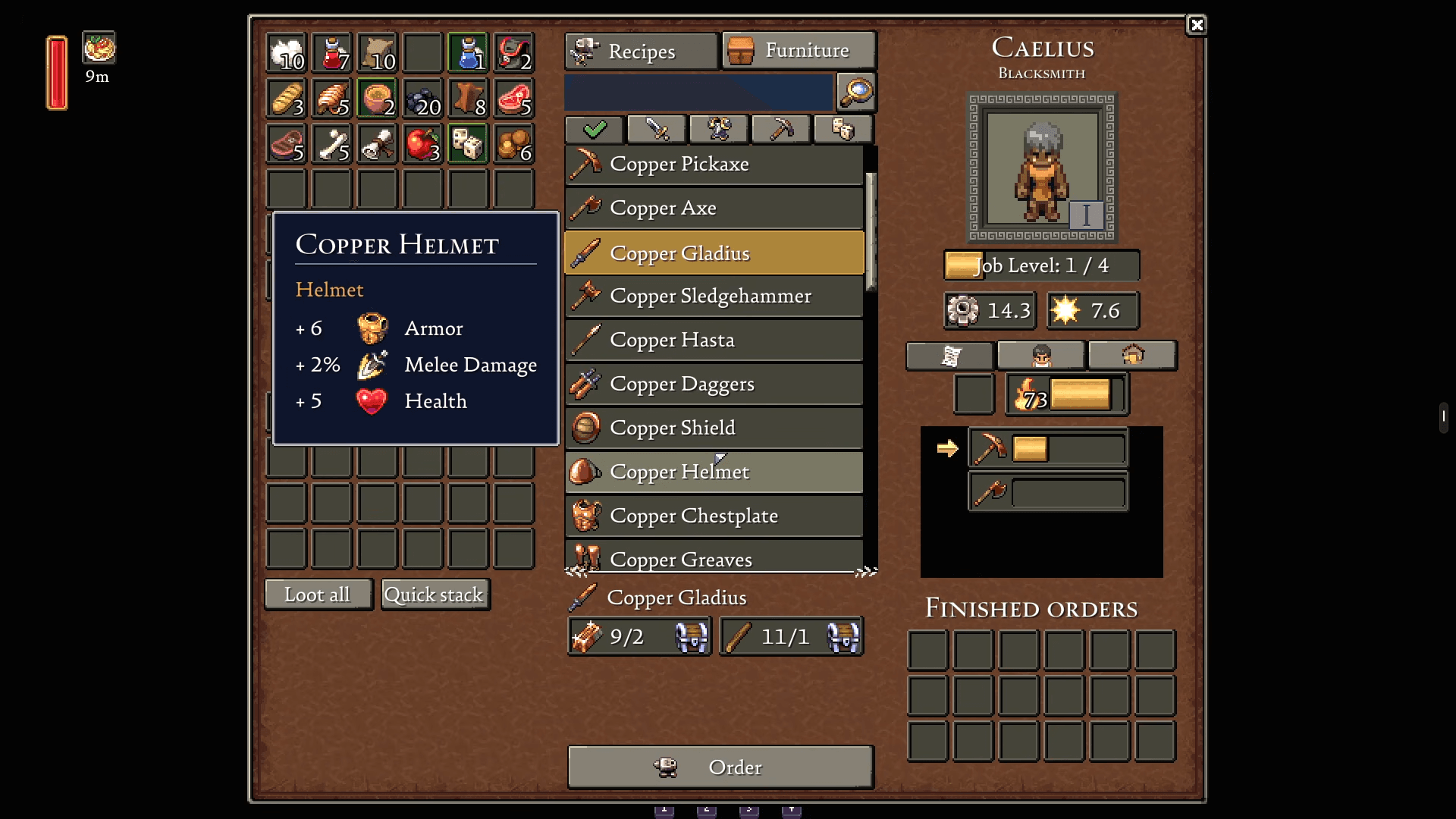
- The UI is the main problem. Inventory management, building placement, and crafting menus are designed for mouse interaction. Small text and precise clicking are difficult on the Deck's touchscreen or trackpad.
- No official controller layout exists yet. You will need to use Steam Input to create or download a community layout.
The developers at Beartwigs have mentioned that controller support and Steam Deck optimization are on their roadmap, but no specific timeline has been given. Given the estimated 1-2 year Early Access period, it may be some time before full support arrives.
Controller Support Status
Native controller support is not implemented in the current Early Access build checked May 29, 2026. The game is built around mouse-and-keyboard input:
- Inventory: Drag-and-drop with mouse. No controller-friendly grid navigation.
- Building: Precise placement with mouse cursor. No snap-to-grid controller mode.
- Combat: This actually works decently with a controller since it is action-based (attack, dodge, heavy attack).
- Menus: Designed for mouse hover and click. No D-pad navigation support.
Workaround: Use Steam Input to map the right trackpad to mouse movement and the triggers to mouse clicks. Community-shared layouts can be found in the Steam Input configuration menu. This makes the game playable, though not ideal.
System Requirements
Romestead is a lightweight 2D pixel-art game. Here are the official system requirements:
| Component | Minimum | Recommended |
|---|---|---|
| OS | Windows 10 | Windows 10/11 |
| Processor | Intel i3 / AMD equivalent | Intel i5 / AMD Ryzen 5 |
| Memory | 4 GB RAM | 8 GB RAM |
| Graphics | Integrated graphics | Dedicated GPU |
| Storage | 2 GB available space | 2 GB SSD |
The Steam Deck easily exceeds these requirements. Performance should not be an issue unless you have a very large settlement with many NPCs and objects on screen.
Best Steam Deck Settings
If you are playing on Steam Deck, here are the recommended settings for the best experience:
- Resolution: Use the native 1280x800. The pixel art scales well.
- Frame Rate: Lock to 60 FPS. The game is not demanding enough to need 30 FPS for battery savings.
- TDP: Set to 8-10W for extended battery life. The game does not need more power.
- Steam Input: Use the right trackpad as a mouse. Map left trigger to right-click (for picking up items) and right trigger to left-click (for attacking and interacting).
- Text Size: Unfortunately, there is no in-game text scaling option in the current build. You may need to use the Steam Deck magnifier (Steam + L1) for reading small text.
Controls & Keybindings
The default PC controls are as follows. For Steam Deck, you will need to map these to the controller:
| Action | PC Key | Suggested Deck Mapping |
|---|---|---|
| Move | WASD | Left Stick |
| Attack / Interact | Left Click | Right Trigger |
| Pick Up / Throw | Right Click | Left Trigger |
| Dodge Roll | Space | A Button |
| Inventory | E or Tab | Y Button |
| Map | M | D-Pad Up |
| Hotbar Select | 1-9 | Bumpers + D-Pad |
Performance Tips
While Romestead is not a demanding game, large settlements can cause frame drops. Here are some tips:
- Limit NPC count: Each citizen adds to the processing load. Do not build more houses than you need.
- Reduce ground clutter: Pick up dropped items around your settlement. Hundreds of items on the ground can impact performance.
- Avoid mega-structures: Extremely large buildings with many components can cause slowdowns.
- Restart periodically: Like many Early Access games, memory leaks can occur over long play sessions. Restart the game every few hours.
Frequently Asked Questions
Q: Is Romestead on Xbox or PlayStation?
As of May 29, 2026, Romestead is PC only (Steam). There has been no official announcement regarding console ports. The developers have focused on the PC Early Access release first. Console releases, if they happen, would likely come after the full 1.0 launch.
Q: Does Romestead support split screen?
No. Romestead does not support split screen. Multiplayer is online co-op only (1-8 players). Each player needs their own copy of the game and their own device.
Q: Can I play Romestead with a controller on PC?
Not natively. The current Early Access build does not have built-in controller support. You can use Steam Input or third-party tools like DS4Windows or reWASD to map controller inputs to mouse-and-keyboard, but the experience will be suboptimal for inventory-heavy tasks.
Q: When will controller support be added?
The developers have listed controller support on their Early Access roadmap, but no specific date has been given. Given the estimated 1-2 year Early Access period, it could arrive at any point during development.